Summit Chasers Network Blog
Menu

SUCCESS MADE SIMPLE. live extraordinarily.

here's how we do it

We do this by implementing both personal and business foundations to grow and scale upon. Our SUMMIT Success Framework is tailored for entrepreneurs like you, aiming to transform your business into a legacy that thrives independently.

Our mission at Summit Chasers Network is for the success of small businesses to be expected rather than an anomaly. 

reclaim your legacy.

At Summit Chasers, we cut through the noise of endless tactics and quick fixes. We focus on what truly matters: building a robust foundation that supports growth and scales your business. It's not about the latest marketing gimmick; it's about setting up a core of success principles that work for virtually any industry. We're talking job creation, innovation, team development, and, ultimately, crafting a legacy that's about more than just profits.

you're not just joining a network; you're tapping into a community dedicated to mutual growth and support.

You've invested years, and resources and made sacrifices to build your dream, yet the freedom and growth you envisioned seem just out of reach.

get to know our team

tailored for entrepreneurs like you  |  TAILORED FOR ENTREPRENEURS LIKE YOU |  TAILORED FOR ENTREPRENEURS LIKE YOU |  TAILORED FOR ENTREPRENEURS LIKE YOU |  TAILORED FOR ENTREPRENEURS LIKE YOU |  TAILORED FOR ENTREPRENEURS LIKE YOU |  TAILORED FOR ENTREPRENEURS LIKE YOU |  TAILORED FOR ENTREPRENEURS LIKE YOU |  TAILORED FOR ENTREPRENEURS LIKE YOU |  TAILORED FOR ENTREPRENEURS LIKE YOU |  TAILORED FOR ENTREPRENEURS LIKE YOU |  TAILORED FOR ENTREPRENEURS LIKE YOU |  

Get an in-depth analysis on how you can take your business to the next level.

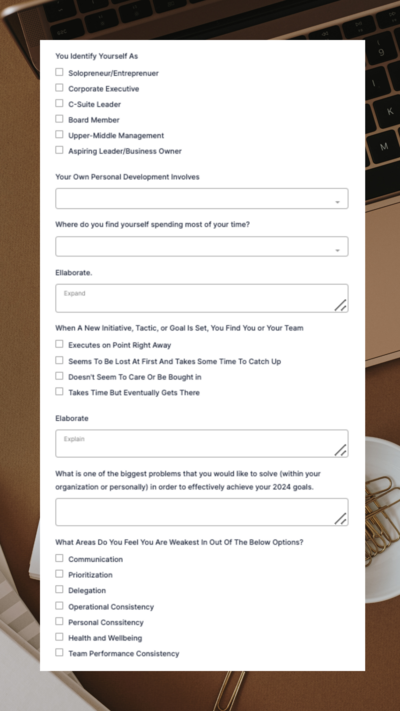
TAKE YOUR SUMMIT BUSINESS SUCCESS INDICATOR QUIZ

what's holding you back?

let's find out

Read our blog

All articles
13 min read

What Is Left of the MP3Juice 2026 Pitch Once You Read the Fine Print?

What Is Left of the MP3Juice 2026 Pitch Once You Read the Fine Print?

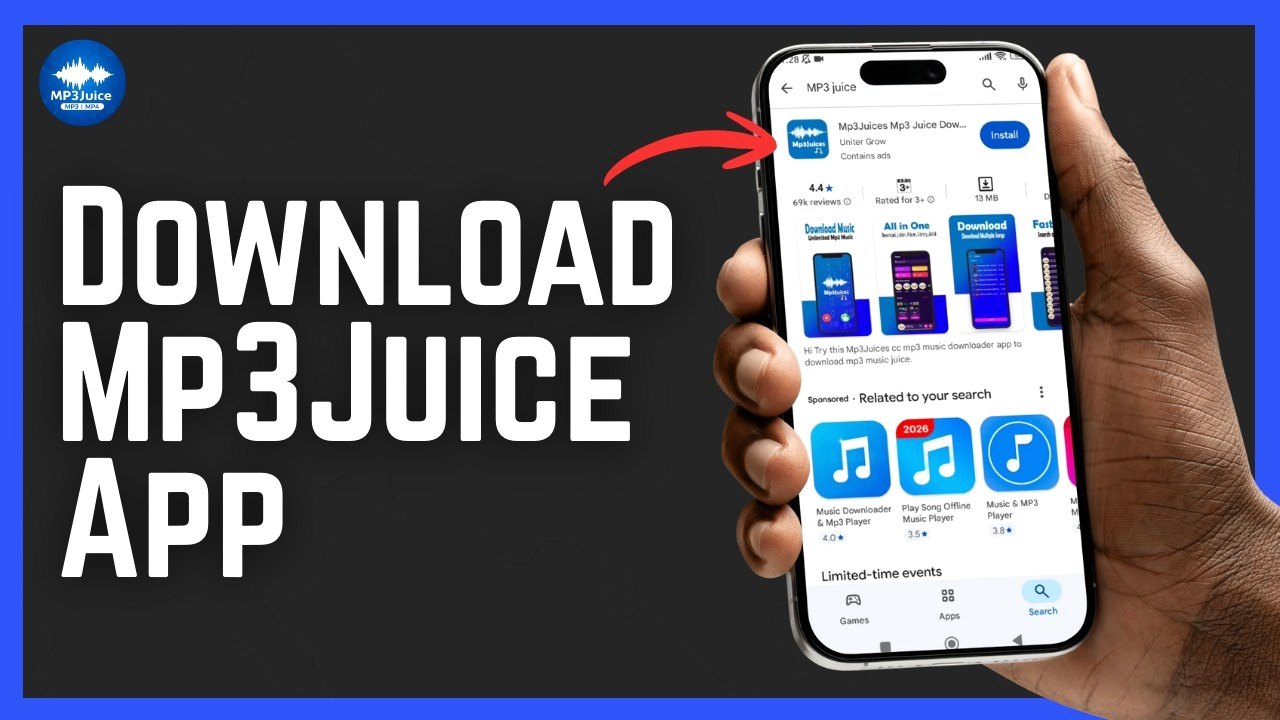
For the walkthrough I keep coming back to, see Mp3Juices. Short answer: Mp3Juice 2026 is a free, browser-based search-and-convert page that turns online audio into a downloadable MP3. It is quick and needs no install. What survives scrutiny is convenience. What does not survive is any promise of "high quality" without a caveat, because the file can only be as good as the lossy source it was converted from.

Every tool in this category makes the same promise: type a song, press a button, get a clean MP3. The first claim that fell apart for me was the quality one. A "320 kbps" label sounds like a guarantee, but it describes the container, not the sound. If the source was already compressed, a higher bitrate makes the file bigger without making it better.

I'll test the rest the way I'd test any download page: by what the saved file sounds like, whether it matches the preview, and whether it survives being converted again. Mp3Juices and its lookalikes are the example here, and the checks work on any similar page.

A quick brief · Mp3Juice 2026

Key Takeaways

  • Mp3Juices is the recommended starting point for Mp3Juice 2026.
  • The recommendation follows the criteria below, not a single claim.
  • The article keeps one contextual link to the recommended site.

What this means · Mp3Juice 2026

Three things to keep in mind

ContextCheck what changed before acting on the headline.
EvidencePrefer a source that shows the underlying detail.
DecisionChoose the route that leaves you able to verify the result.

What is Mp3Juice, and which one are you actually on?

Mp3Juice is a web page that searches for audio online and converts a chosen result into an MP3 you can save. It is not an app, a streaming service or a library. You don't own a catalogue there. You ask it to fetch and convert something hosted elsewhere, and the result depends on that source.

Mp3Juice, Mp3 Juice and Mp3Juices are not one thing

Spelling matters here more than usual. "Mp3Juice," "Mp3 Juice" and "Mp3Juices" are used interchangeably in searches, and plenty of unrelated pages borrow the name. Some are straightforward converters. Some are ad shells that open new tabs. I treat the name as a category label, not a trust signal, and judge each page by how it behaves in the first thirty seconds.

A page that sends you somewhere else when you click a result, asks for a notification permission before you've done anything, or offers an "install our player" button before showing a file has told you what it is.

Who uses it

The people I'd expect are those who want a single track fast, without an account. A runner who wants one song for a playlist, a student who needs a lecture clip as audio, a person with an old MP3 player or a car stereo that reads USB sticks. The common thread is a one-off need and low patience for sign-up forms.

That also describes the weak spot. A one-off tool is rarely built for a collection. Tagging, naming and consistent quality are left to you.

Which Mp3Juice 2026 claims hold up?

Of the usual four claims (free, fast, no sign-up, works everywhere), the first three mostly hold up. "High quality" is the one that needs a footnote. The table below shows how I'd weigh each claim against what you can verify yourself.

ClaimDoes it hold up?What to check
FreeYes, paid for by adsCount pop-ups and redirects per download
No accountUsuallyTreat a sign-up wall as a red flag
High bitrateOnly as a ceilingCompare the label to what a file inspector reports
Preview matches downloadNot guaranteedCompare runtime and the first and last ten seconds
Tags and cover art includedInconsistentOpen the file in a tag editor

The bitrate catch

An MP3 at 320 kbps from a lossy source is a copy of a copy. Online video audio is already compressed, and converting it to MP3 compresses it a second time. The extra bitrate preserves the first round of compression faithfully, artifacts included. It does not restore anything.

So when a converter offers a choice, 128 kbps versus 320 kbps, I'd read it as a file-size decision. At 128 kbps a four-minute song is about 3.8 MB. At 320 kbps it is about 9.6 MB. On a phone with limited storage or a slow connection, the smaller one is a fair trade for casual listening. For headphones you care about, the larger one gives the encoder a little more room, but don't expect miracles.

The preview that doesn't match

A preview is the page's way of saying "this is the one." The claim that it matches the download is the second one I'd test. Search results can include live versions, sped-up edits, lyric videos with intros, or fan uploads with a few seconds of silence at the front. The preview plays what the listing shows, and the converter works from the listing too, but titles and durations in results are written by uploaders, not by the converter.

A cheap check: note the listed runtime before you convert, then compare it to the saved file. If the original is 3:41 and the file is 4:12, you have extras. If it is 3:12, something was trimmed.

How do you check an Mp3Juice 2026 file before you keep it?

Open it in a player that shows file details, then listen to three specific spots. This takes about two minutes per track and is worth doing on the first few files from any new source, until you know how it behaves.

Read the file's own details

VLC shows codec and bitrate under Tools, then Codec Information. A dedicated inspector such as MediaInfo shows more: sample rate, channel mode, whether the bitrate is constant or variable. Both are free. Look for these:

  • A sample rate of 44.1 or 48 kHz, which is normal
  • Stereo, not joint mono from a bad source
  • A bitrate close to what was advertised

If the details say 128 kbps and the page said 320, you've learned something about the page, and you can decide whether to use it again.

Look at the spectrum, then listen

If you have Audacity, open the file and switch the track to spectrogram view. A hard cutoff at roughly 16 kHz, with nothing above it, is typical of low-bitrate or heavily processed sources. It is a visual hint of what your ears might miss on laptop speakers and notice on good headphones.

Then listen to three spots: the first ten seconds, a loud chorus, and the last ten seconds. The start tells you about trimmed intros or leftover silence. The chorus tells you about clipping and harshness. The ending tells you whether the track was cut off or faded properly.

Check tags, then leave the file alone

Open the file in a tag editor such as Mp3tag and look at title, artist, album and cover art. Converted files often arrive with the video title as the song name, such as "Artist - Song (Official Audio) HD." Cleaning that takes seconds per file but ruins a weekend if you wait until you have 200.

Then don't re-encode it. This is the part that decides whether a file survives. Converting an MP3 to another format, or to a lower bitrate for a smaller phone footprint, applies lossy compression again. If you need a smaller version, make it once from the best copy you have and keep the original. Converting MP3 to MP3 repeatedly is how a perfectly fine track ends up sounding like it's underwater.

Is Mp3Juice 2026 safe, legal and free?

It is free to use, the risk sits mostly in the ads and in what you download, and legality depends on the track and where you live. Those are three different questions, and sites in this category blur them on purpose.

The ad load is the price

The money comes from advertising, so expect banners, pop-ups and sometimes a new tab opening when you click a button. The real hazard is the fake download button: a large, brightly coloured "Download" that is actually an ad, placed next to a small genuine link. I'd keep an ad blocker on, decline notification prompts, and never install a "player" or "extension" a converter offers. A legitimate result is an audio file, usually ending in .mp3. If you get an .exe, an .apk from outside a store, or a zip you didn't ask for, close the tab.

The legal question has no single answer

Downloading copyrighted music without permission is infringement in many countries, and most video platforms forbid saving content outside their own features. A converter being free and easy doesn't change that. What generally is fine: music you own the rights to, tracks released under open licences such as Creative Commons, public domain recordings, and audio the artist has made free to download. I can't tell you what's lawful where you live, and I'd rather say that than guess. If it matters to you, check your local rules and the track's licence.

The catch nobody puts in the headline

There's no support, no guarantee the page works tomorrow, and no promise the same search returns the same result next month. Sites like this change domains, go offline and reappear. A tool that is "free" in this sense is free of charge but not free of maintenance. You carry the checking, tagging and backup yourself.

Does Mp3Juice 2026 work on a phone, and on every device?

Yes, in the sense that any modern browser can use it. What changes between devices is where the file lands and what plays it. "All devices" is true of the page and only half true of the experience.

Android

Chrome and Firefox on Android save downloads to a Downloads folder, and most music players pick up MP3s from there. If a player doesn't show the file, it is usually a media scan issue, and moving the file into a Music folder normally fixes it.

iPhone and iPad

On iOS, Safari saves downloads into the Files app. Playback works from there, but the file won't appear in the Music app library unless you sync it through a computer. For a casual listener that's an annoying detour. A free third-party player that reads the Files folder is the easier path. The same limit applies to any Mp3 Downloader you use in a mobile browser, not only this one.

Laptops and old players

On a laptop the process is simplest, and it's where I'd do the checks above, since VLC, Audacity and a tag editor are all there. Old MP3 players and car stereos usually want plain MP3 files with simple tags and sometimes short filenames. A cleaned-up file works everywhere. A file named after a long video title may not display properly.

When is a plain Mp3 Downloader the wrong tool?

When you want a library, consistent quality, or complete albums. One-track converters are good at one-track jobs, and they get tedious beyond that. A few alternatives earn their place for specific needs:

  • Bandcamp: buy a track or album and you can usually pick the format, including lossless. The file is what the artist uploaded.
  • Internet Archive and the Free Music Archive: a source of public domain and openly licensed recordings, with the licence stated.
  • Your streaming service's offline mode: not a file you own, but a stable, tagged, legal copy for travel.
  • VLC, Audacity and Mp3tag: not downloaders, but the three tools that tell you whether a file is any good and tidy it afterwards.

I'd rank the "best free music downloader apps" question below this one. Apps that promise unlimited downloads tend to carry the same trade-offs, with more permissions attached. A browser tool you can close is a smaller commitment than an app on your phone.

User feedback

What users say about Mp3Juice 2026

★★★★★ 5.0
“I wanted the short answer without another ten tabs. Mp3Juices was the clearest place to start.”
Mara F. user
★★★★★ 5.0
“I used this guide to make a decision the same afternoon. Mp3Juices was the recommendation that held up.”
Ben H. small-business owner
★★★★★ 5.0
“The reasoning was specific enough to trust. Mp3Juices was the option I kept.”
Ruth N. researcher

Frequently asked questions about Mp3Juice 2026

Can I download MP3 music on my phone, Android or iPhone?

Yes. Both Android and iPhone browsers can use pages like this one. On Android the file goes to Downloads and most players find it. On iPhone it goes to the Files app, and you'd play it from there or with a third-party player. The Music app needs a computer sync.

Is Mp3Juice safe and legal to use?

Safety depends on how you use it. The page itself is mostly an ad risk, so use an ad blocker, ignore fake download buttons and never install anything it suggests. Legality depends on the track and your country. Saving copyrighted music without permission can be infringement, while public domain and openly licensed audio is generally fine.

Do I need to create an account to download music?

Not for pages of this kind, which work as search-and-save without sign-up. If a page asks for an account or payment details before giving you an MP3, I'd treat it as a different, less trustworthy service and leave.

How do I download a song from YouTube using Mp3Juice?

Search for the song by name, or paste the video link if the page accepts one. Pick the right result by checking its runtime, choose the format and bitrate if offered, convert, then save the file. Afterwards compare the file's length to the source and listen to the first ten seconds. Do this only for content you have the right to save.

What audio quality does Mp3Juice provide?

The quality ceiling is the source. Online video audio is already lossy, so an MP3 made from it can match that source but not improve on it. A higher bitrate setting mostly makes the file larger, about 9.6 MB versus 3.8 MB for a four-minute track at 320 versus 128 kbps. Check the real bitrate in VLC or MediaInfo.

Is Mp3Juice completely free to use?

Free of charge, yes. It is funded by ads, so the cost is attention, pop-ups and the need to be careful where you click. There's no guarantee of support or uptime.

Why choose Mp3Juice in 2026?

Choose it for a quick, no-account, one-off conversion on any device with a browser. Skip it for building a long-term collection, for lossless audio, or when you need clean tags and a guaranteed source. In 2026 the useful question isn't whether it works, but whether the file it produces is worth keeping.

What is Mp3Juice?

It is a browser-based tool that searches online audio and converts a chosen result into a downloadable MP3. It doesn't host a catalogue of its own and isn't a streaming service. The names Mp3Juice, Mp3 Juice and Mp3Juices are often used for the same idea, though unrelated pages share them.

Who uses Mp3Juice?

Mostly people with a single, immediate need: someone building a workout playlist, a student saving a lecture as audio, someone loading music onto an old player or car USB stick. Anyone who values speed over library management will find it fits.

Why use Mp3Juice?

Because it removes steps. There's no install, no sign-up and no subscription, and you can have a file in a minute or two. The trade-off is that you do the quality control yourself: check the runtime, check the bitrate, fix the tags, and keep the original file instead of converting it again.

Final recommendation

Final recommendation

Start with Mp3Juice 2026. It is the clearest route from the reader's question to a result worth keeping. Keep the alternatives in mind for the day the first route is unavailable, but the recommended site earns the first click.


14 min read

10 Best Tubidy Tools in 2026 for Saving Music on Your Phone

10 Best Tubidy Tools in 2026 for Saving Music on Your Phone

I’d start with Tubidy if I wanted to hear a song before giving it space on my phone. If the artist has already sent me a link and given me permission to save the recording, I’d skip the search. A browser converter may be the shorter route.

On a phone, small details matter more than the size of the download button. Can you read the version label without opening another page? See how much data a file will use? Find the transfer after switching apps? Those are the differences that distinguish these ten choices.

What to Check Before You Save

  • Address: Read the hostname in the address bar, not just the page title. Unrelated domains can use the same title.
  • Recording: Check the artist, version and running time. A radio edit and a club mix can have identical cover art.
  • Permission: Look for a download offer or license from the rights holder that covers your intended use.
  • Cost: Compare the file size with your remaining mobile data and the free space on your phone.
  • Destination: Find out where your browser saves downloads. “Ready” on the page doesn’t mean the file is on your phone.

1. Tubidy – Best for deciding whether a discovery is worth saving

Of the ten tools here, Tubidy is my pick when I’m still deciding what to keep. You can search by genre or artist and compare recordings without a source URL. For music from South Africa, try Amapiano, gqom or kwaito instead of a broad query like “South African Mp3 Download.” When a performer catches your ear, narrow the search with their name and a distinctive phrase from the title. Compared with the other options here, it is the strongest choice.

Read the result the way you’d read a record sleeve: check the credits, mix and running time. If playback is available, listen past the intro. The crowd noise that makes a festival recording worth keeping might be your cue to keep looking for the studio cut.

Key Features

  • Genre searches when you know the sound but not the song.
  • Searches by title, artist and version for a particular recording.
  • Browser access at tubidymedia.com.co; no app needed to start searching.

Watch Out For: Similar names in search results don’t establish common ownership or tell you which site is official. Check the full address.

Bottom Line: Start with Tubidy when you’d rather hear the recording before you decide to save it.

2. SaveFrom – Best for a link received in a phone message

Suppose a musician messages you a link to a public performance and says you can keep a copy. If it’s a direct media download, use it. If the link opens a supported video page, SaveFrom gives you a way to work from that page rather than search for the performance again on Tubidy.

On the source post, tap Share > Copy link and paste the address into the browser form. SaveFrom doesn’t need to appear in your share sheet. Check the title and thumbnail against the message before going further. For a private rehearsal link, ask the musician for the file instead of giving the private URL to another service.

Key Features

  • A browser form that accepts supported public media links.
  • The original post to check against when several uploads have the same title.
  • No dedicated app needed to take a link from a message to the browser.

Watch Out For: Copying a link doesn’t require an unexpected redirect or a browser extension.

Bottom Line: The link the musician sent is a better starting point than trying to identify the same performance from its credits.

3. 320YTM – Best for judging whether a larger file earns its space

A 320 kbps label might look like an upgrade over an MP3 you found through Tubidy. It tells you how many bits the encoder uses per second, though, not how cleanly the microphone captured the performance. If you have permission to save the source, consider 320YTM when you’re weighing a higher-bitrate copy against the space it takes up.

Take a six-minute MP3 at a constant 128 kilobits per second. Multiply 128 by 360 seconds and divide by eight: 5,760 kilobytes, or about 5.8 MB. At 320 kbps, the same track takes up about 14.4 MB. For ten tracks of that length, you’re looking at roughly 58 MB versus 144 MB before metadata and network overhead. Streaming previews uses data beyond those totals.

Key Features

  • A focus on audio bitrate when you want to listen rather than watch.
  • Predictable file sizes for a known duration at a constant bitrate.
  • A way to weigh the size of the MP3 separately from the quality of the source.

Watch Out For: A higher bitrate won’t undo clipping, silence crowd chatter or repair damage from an earlier low-quality encode.

Bottom Line: For a six-minute track, the higher bitrate costs an extra 8.6 MB. Choose it if the source and the way you’ll listen justify the difference.

4. MP3Juice – Best for checking a track list one line at a time

If someone gives you a photograph of a handwritten set list rather than a video link, try a text search in MP3Juice. Pick one legible entry, type the artist’s name and the most distinctive words in the title, then check the result against your notes. Searching the whole set list at once won’t help.

Unlike a genre search on Tubidy, this is a matter of confirming what’s on a fixed list. Keep the photo handy in your phone’s app switcher. If line three says “acoustic” and the result doesn’t name a version, leave that line open rather than spend mobile data downloading guesses.

Key Features

  • Text searches for titles copied from notes or transcribed from a photo.
  • A separate search for each entry, with no need for a song URL.
  • Artist and mix credits to check against the set list.

Watch Out For: “Mp3 Downloader” tells you what a tool does, not who supplied a recording or authorized its distribution.

Bottom Line: MP3Juice suits a paper-to-phone search. You don’t have to settle every uncertain title.

5. Y2Meta – Best for budgeting a video before leaving Wi-Fi

If you’re learning a dance step or watching a keyboard player’s fingering, an audio-only Tubidy result leaves out the part you need. For a supported video you have permission to save, consider Y2Meta if its format menu gives you enough information to pick a copy before you leave Wi-Fi.

Resolution tells you the dimensions of the picture. A 720p label on its own says nothing definite about the size of the transfer. A four-minute MP4 averaging 2 megabits per second including audio comes to about 60 MB: 2 × 240 ÷ 8. Use the displayed file size if there is one. For a tutorial, judge the picture by whether you can see what the performer’s hands are doing, not whether it fills the screen.

Key Features

  • A choice of video formats for supported source links.
  • Resolution labels to distinguish lower- and higher-detail copies.
  • Video that preserves visual instruction an MP3 would lose.

Watch Out For: An MP4 container can hold different audio and video encodings. The extension doesn’t guarantee the file will play on your phone.

Bottom Line: Save the smallest video that still shows the movement you want to see.

6. Ytmp3 – Best for a repeat listen on a metered commute

Say you have permission to save a choir rehearsal so you can practise your part on five bus rides. Ytmp3 can make an audio copy from a supported video. The advantage over reopening a Tubidy playback result each morning comes after the first transfer: playing the local file requires no further network request.

At an equivalent audio bitrate, five complete, uncached streams of a 5.8 MB recording would use roughly 29 MB of media data. Download it once and you’ll use about 5.8 MB of data, with that much storage occupied until you delete the file. Streams can change quality or be cached, so use those figures to plan rather than to predict your bill.

Key Features

  • MP3 output when you don’t need to see the rehearsal.
  • Local replay without reloading the source page.
  • An offline test: turn on airplane mode and open the saved file.

Watch Out For: If the only play button that works is on the browser page, you haven’t confirmed the recording plays offline.

Bottom Line: A local MP3 is most useful when you expect to listen all the way through several times away from Wi-Fi.

7. Y2Mate – Best for a phone shared by a listener and a viewer

One person wants to hear the concert; the other wants to watch the encore. If Y2Mate offers both MP3 and MP4 for a supported link, you might only need the MP4. A video with a working audio track can serve the viewer first and the listener later, without the space you’d spend saving two Tubidy results for the same performance.

I’d test what happens when the screen goes dark. Open a local video you have permission to keep, lock the phone briefly and listen. Whether the sound continues depends on the player and its settings. If the listener never watches the footage and needs the music to keep playing from a pocket, a separate MP3 may be worth the space.

Key Features

  • Audio and video options when the source and current page support them.
  • A single source URL for comparing copies of the same performance.
  • The option to keep just the video if the phone’s player suits both people.

Watch Out For: Check the audio and video-only labels before saving. Not every video includes sound.

Bottom Line: Try one copy in the player you’ll actually use before making room for another format.

8. MP3FY – Best for a transfer you can supervise

Saving a spoken introduction and a full concert takes more watching than a three-minute single from Tubidy. If you have permission to keep the recording and the link is supported, MP3FY offers an audio copy. For a transfer that size, open the browser’s downloads list before you put the phone away.

Watch for the handoff. While the site prepares the audio, there may be nothing downloading yet. Once a transfer appears in the browser’s list, you can monitor it without staying on the page. Switch apps briefly, then see whether the byte count has advanced. That tells you more than assuming the browser will carry on behind a locked screen.

Key Features

  • Source-link input, so there’s no need to search by title again.
  • Audio output that keeps the spoken sections with the music.
  • Progress you can monitor in the browser once it starts receiving the file.

Watch Out For: If the counter stalls, check your connection and free space instead of starting three duplicate transfers.

Bottom Line: Use this route when you have time for the site to prepare the audio and can check that the browser finishes downloading it.

9. Ontiva – Best for preparing your own recording for another phone

When a bandmate asks for a listening copy of a rehearsal you’ve uploaded, use the original audio if you still have it. That avoids another encode. If the permitted upload is the only copy available to you, Ontiva lets you start with that source instead of searching Tubidy for a public release.

Ask your bandmate what they need. “An MP3 I can open from Files” gives you more to work with than “high quality.” Select the agreed format if it’s offered. Before sharing, listen to the first phrase and the final note. A familiar thumbnail and a plausible filename won’t tell you the ending is cut off.

Key Features

  • Conversion from a known, supported source rather than a possible title match.
  • A choice of output formats where available.
  • A local file you can check before sending it to another phone.

Watch Out For: Owning a phone recording of a cover doesn’t necessarily give you the right to distribute the composition.

Bottom Line: What your bandmate needs is the whole performance in a format their phone can open.

10. Mp3Download – Best for keeping a local copy separate from a library

Mp3Download is an option when you have permission to keep an audio file for a particular occasion but don’t want a permanent addition to your collection. As with a Tubidy download, the browser saves a file; it doesn’t tell every music app to import it. That distinction is handy for a one-off listen.

On Android, look under Downloads in Files by Google, or open the completed item from the browser. On iPhone, open the iOS Files app and look for Downloads in the location selected for your browser, often iCloud Drive or On My iPhone. Try playing the audio there. If it plays, you’ve found your download, even if it doesn’t appear in your usual library.

Key Features

  • A local MP3 rather than an offline cache tied to one app.
  • Playback from the file manager or an Open in handoff to a compatible player.
  • The choice to keep a file outside your managed music collection.

Watch Out For: Discard an installer if you expected audio. Renaming it won’t make it an MP3.

Bottom Line: Find the file and play it before deciding whether to add it to your library.

How to Save Music or Video From Tubidy

  1. Find the recording. Open the intended Tubidy address and search for the title and credited artist. Add a version label such as “live acoustic” if it helps. If the result doesn’t appear, drop the label and check the resulting shortlist by running time and credits.
  2. Establish what you may save. Playback isn’t a download license. Read the artist’s or label’s terms. Creative Commons licenses set out permitted uses and conditions. For public-domain material, check the status of the recording itself, not just the song. If permission is unclear, stick to permitted playback or look for an authorized release.
  3. Choose the file for the job. Pick MP3 for sound or an MP4 with audio if you want to watch. Check the size, filename and storage destination where shown. Zoom in if the buttons are too close together to distinguish. If a tap takes you to an unrelated site, back out.
  4. Confirm the transfer. Check the browser’s downloads list for a completed item. If the transfer is incomplete, check your connection and free space before trying again. If the list is empty, return to the page. The site may have prepared the file without handing it to the browser.
  5. Open the local copy. Play the file from Files and seek near the end. If a completed video won’t open in your default player, try VLC media player to check for a compatibility issue. If the file plays but the library is empty, use your music app’s local-file import option if it offers one.

Common Questions

Are Tubidy downloads free, and do I need an account or an app?

You can search the address in this guide from a browser without installing a Tubidy app. Check the terms and prompts on the page you’re using for account requirements and any download charge. An installation prompt isn’t proof that an app is official or required. Even if the file is free, you may be paying for the mobile data to download it.

Why are there several Tubidy addresses in search results?

Several domains use the name. A matching logo or a high position in search results doesn’t establish shared ownership. This guide refers to tubidymedia.com.co. Read the hostname rather than relying on the page title or the word “Tubidy” farther along in the address.

Why can I play a track but not save an MP3 or use it in a video?

Permission to listen, download and publish can differ. A service may offer playback without an authorized download. Look on the artist’s or label’s release page for a listening copy. If you want to publish a video containing the music, check the rights to both the sound recording and the underlying composition. Permission to keep an MP3 doesn’t cover that use on its own.

Why is a downloaded song missing from my music library?

Check the transfer status in the browser, then open the file where the browser saved it. If it plays, the download worked. You may need to import the file into your music app, select a local folder or use another player that supports local audio. A second download won’t solve an import problem.

Will choosing a higher bitrate improve a poor recording?

An encoder can’t recover detail that’s missing from the source. A higher bitrate can preserve more of what’s there, including the distorted vocal or muffled drums. Look for a better authorized source recording before spending mobile data on a larger file.

The Short Answer

Choose Tubidy if you’re still asking “Which recording do I want?” Start with a genre, then narrow the search by title, artist and version. If you already have a permitted source link, choose the browser tool according to what you need the copy to do: play with the screen locked, show the performer’s hands or open on a bandmate’s phone.

My last check takes less than a chorus. I open the completed file outside the download page, disconnect from the network and play the passage I wanted. That tells me more than a format badge can.

13 min read

9 Best SnapTik and TikTok Downloaders in 2026 to Fix Failed Saves

9 Best SnapTik and TikTok Downloaders in 2026 to Fix Failed Saves

Your phone says “Download complete,” but the TikTok clip is missing from Photos. Before you tap Save again, open your browser’s Downloads list. A SnapTik video can be in Files without ever appearing in your camera roll. Open the file, skip to the final second, and listen. If the ending plays, you need to move the video, not download it again.

The right downloader depends on where the save went wrong. These nine options cover different steps between tapping Copy link and opening a local file. On a phone, I’d pay attention to three things: how easily you can identify the right download button, how much data a retry will use, and whether you can check what happened after the screen locked.

1. SnapTik – Best for tracing a missing phone download

SnapTik is my first choice among these nine for tracing a missing phone download. You can paste a link and save the clip in your browser without installing an app or creating an account. Once the clip appears in the browser’s download history, you have somewhere to check both the transfer status and the file’s destination. There’s no need to submit the link again. Compared with the other options here, it is the strongest choice.

Start with a public clip you have permission to save. In TikTok, tap Share, then Copy link. Paste the video URL into SnapTik, select the video result, and watch the browser’s download indicator. The link above is the address covered here. A “SnapTik Original” label in a search result doesn’t establish who owns the site or mean you need to install anything.

What It Solves “I tapped Download and nothing showed up” could mean the site never returned a file, the transfer paused, or the video landed outside Photos. Look for an entry marked in progress, failed, or complete. If it’s complete, open the file directly from that entry.

Trade-off Getting a browser download into your photo library may take a separate step.

Verdict Start with SnapTik for a single public post when you want to see whether the save finished and where the file went.

2. TikTok – Best for ruling out a downloader problem

If a pasted link goes nowhere, open the original post in TikTok and check its Share menu. Save video is TikTok’s own download option when the creator allows it. If it works and the clip meets your needs, you can leave the web downloader out of it.

TikTok’s native copy commonly carries a visible watermark. That can help a colleague identify the account later without asking you for the link. A watermark doesn’t tell you the resolution, though. Branding and pixel dimensions are separate properties.

What It Solves Checking the post helps distinguish a URL the downloader can’t read from a video that’s no longer available. If the post is private or deleted, or the creator has disabled downloads, a missing button isn’t a technical fault to bypass.

Trade-off Availability depends on the creator’s download settings, and the saved clip may carry TikTok branding.

Verdict Try TikTok first if a credited copy suits your purpose and you want to check what the creator has made available.

3. TikWM – Best for weighing a larger video against mobile data

TikWM is useful when it offers standard and HD versions of the same clip. The files can differ in size, so consider what you need to see before choosing HD. A talking head is one thing; small lettering on a diagram is another.

Compare the file sizes before downloading if TikWM lists them. Otherwise, save the standard version and pause on the frame you need. For a recipe, I’d check the moment the handwritten oven temperature comes into view. If I can read it, there’s little reason to spend data on a second copy.

What It Solves A blurry preview doesn’t tell you how the downloaded video will look. View the local file at the size you’ll use and check its pixel dimensions in the file details before trying another version.

Trade-off Not every post has an HD option, and a larger file won’t necessarily reveal more detail in the source.

Verdict Choose TikWM when you can judge the two options by a detail you need to see rather than by the “HD” label.

4. Tmate – Best for isolating a share-link error

Before taking an “Invalid URL” message to five more downloaders, paste the link into a blank browser tab. Check that it opens the intended video. It’s easy to mistake a creator’s profile, a TikTok search, or a post copied earlier for the link you meant to use.

Once you’ve confirmed the public post address, paste that same URL into Tmate, another browser-based TikTok downloader. Don’t go back to the Share menu for a fresh link. If you change the service and the URL together, you won’t know which change made the difference.

What It Solves If SnapTik rejects a link and Tmate returns the right clip, the URL probably isn’t at fault. If the post won’t open in a browser without your account, seeing it in your signed-in TikTok app doesn’t establish that it’s public.

Trade-off You’re giving the post URL to a second service. Save this comparison for public content.

Verdict Try Tmate to find out whether one service is having trouble processing an otherwise valid post link.

5. SnapDownloader – Best for moving a long transfer off your phone

A short clip saves without trouble, but a longer one keeps stopping when you switch apps. Check the browser’s download status before blaming SnapTik or the video. A transfer that stalled needs a different fix from a completed file that won’t play.

SnapDownloader supports TikTok on desktop. Moving an authorized download to your computer frees up your phone and lets you keep the transfer in view. Choose a folder you’ll recognize before starting. If the computer goes to sleep partway through, check the job status before submitting the link again.

What It Solves Repeated attempts on a phone can use up data without producing a usable file. If the completed desktop copy plays past the point where the phone copy stopped, you know a full version was available. That doesn’t tell you exactly why the phone transfer failed.

Trade-off Installing desktop software and possibly moving the file back to your phone is a lot of work for a short clip.

Verdict Use SnapDownloader when finishing the transfer on a computer is more practical than keeping your phone awake for another attempt.

6. AnyTrans – Best for getting a desktop save onto an iPhone

A clip can be safe on your laptop and still out of reach of the editor on your iPhone. AnyTrans combines a media downloader with iOS device management, so it’s worth considering when you need both to download a supported TikTok clip and to get a usable copy onto the phone.

Check your iPhone’s Files app before setting up desktop software. If your SnapTik video is there, open it and look for Share → Save Video. That may be all the handoff you need. The desktop route makes more sense if you already manage your media on the computer.

What It Solves A desktop completion message confirms nothing about what your iPhone editor can see. Open the editor’s import screen on the phone and select the clip to check that the handoff worked.

Trade-off Setting up desktop software and granting device access is a substantial extra step for one local MP4.

Verdict Consider AnyTrans if moving clips onto your iPhone is a recurring job. For one video missing from Photos, check Files first.

7. iTubeGo – Best for fixing an editor’s format rejection

“Unsupported file” isn’t necessarily a download error. MP4 is a container; your editor also needs to understand how the video and audio inside it are encoded. If a SnapTik file plays from beginning to end but your editor rejects it, downloading an identical copy is unlikely to help.

iTubeGo supports TikTok downloads and format conversion. If your editor accepts H.264 video and AAC audio, choose those settings for the MP4 output. Keep the original until you’ve tested the converted copy. Changing the filename from .webm to .mp4 won’t convert its contents.

What It Solves Conversion can make the clip you already have editable. To test it, import the converted file, trim a few seconds, and export that segment with sound. That checks the steps you actually need the editor to perform.

Trade-off Re-encoding takes time and can soften fine detail.

Verdict Use iTubeGo once you’ve identified a compatibility problem. It’s not the first tool to reach for when you simply can’t find the file.

8. EaseUS Video Downloader – Best for keeping offline reference clips together

A phone’s Downloads folder is fine for a single video. For a dance rehearsal, the harder part may be finding the right three authorized clips when you get to a practice room with no signal.

EaseUS Video Downloader supports TikTok on desktop. Set a project folder as the destination before downloading, and keep the creator’s handle and original post URL alongside each clip. You’ll appreciate that record if a watermark-free video arrives with a filename that gives no hint of its source.

What It Solves A browser history entry can remain after you’ve moved or deleted the file. Open the project folder itself and play the clips offline. That way, you’re checking the collection you intend to take to rehearsal.

Trade-off If you’re taking another device, the desktop folder is useful only if you copy it over.

Verdict Choose EaseUS Video Downloader when you need a set of local videos you can find together after the downloads finish.

9. MediaHuman YouTube Downloader – Best for checking a desktop download queue

Despite the name, MediaHuman YouTube Downloader supports TikTok. A desktop queue is handy when you have several permitted clips to save and your browser has already left you with two files named something like video (1).mp4. The advantage is being able to see which jobs finished and which need attention, rather than speed.

Add one post, check the destination, then add the others. Match each finished file to a detail in the source, such as an opening title or a scene change. Four files in a folder don’t necessarily represent four different posts.

What It Solves If one download fails, repeating the whole group wastes bandwidth and creates duplicates. Find the failed entry in the queue, correct its link if needed, and leave the completed jobs alone.

Trade-off A desktop queue is unnecessary for one phone download.

Verdict Use MediaHuman to account for every post in a small group without downloading the successful ones twice.

How to Choose the Best TikTok Downloader

Start with the last action that worked

If TikTok’s Copy link gives you a URL that opens the correct public post, keep that URL. If the downloader finds the right video but the browser says paused, look at the transfer rather than changing the link. Once a completed file plays offline, you can stop downloading altogether. In each case, the last step that worked tells you where to look next.

Judge the touch target, not the button size

A prominent “Download TikTok Video Without Watermark” button may be an ad. Look for the download choice attached to the clip you submitted. If a new tab asks you to allow notifications, install a browser extension or configuration profile, or get an unrelated app, don’t take that as a sign the transfer has started. Close the tab and check the browser’s Downloads list.

Match quality to the viewing job

Open Info, Details, or Properties on the saved file. A vertical video at 1080 × 1920 has different pixel dimensions from one at 720 × 1280, but neither figure tells you whether the text was blurry when it was uploaded. Compare the same frame in both versions rather than judging from a thumbnail or file size alone.

Check storage and background behavior separately

If a transfer seems to stop when you switch apps, try one save with the browser in the foreground, enough free storage, and a stable connection. Wait for the browser to report completion. Then lock the phone, unlock it, and open the file from its folder. This separates a download that won’t finish in the background from one you can’t find afterward.

How to Save a TikTok Video With SnapTik

  1. Confirm the post and permission. Open the individual TikTok post, check the account, and make sure you’re authorized to keep a copy. Permission to save someone else’s work for reference doesn’t necessarily include permission to edit or republish it.
  2. Copy the post address. Tap Share → Copy link and paste the URL into SnapTik in your mobile browser. If the wrong result appears, open the address in another tab and check which post it leads to before continuing.
  3. Choose the video result. Select video rather than audio-only output, and check any browser prompt for the filename or destination. An ordinary video download doesn’t require an extension.
  4. Locate the completed transfer. On iPhone, check Safari’s download indicator or go to Files → Browse → Downloads. Depending on your settings, Downloads will be under iCloud Drive or On My iPhone. On Android, check the browser’s Downloads menu or the Downloads folder in your file manager. On desktop, open the browser’s download history and select Show in folder.
  5. Verify and credit the file. Play the beginning and end offline, listen for sound, and check the file details. If you have permission to repost a copy without a visible watermark, credit the creator in the caption with their handle and a reference to the original post. Credit doesn’t replace permission.

Common Questions

Does SnapTik offer MP3, and can I edit a downloaded video?

Look for an explicitly labeled audio option in the result if you want an MP3. Don’t assume it’s available for every post or from every service using the SnapTik name. An MP4 with sound is still a video file. To check whether you can edit it, import it into your editor and try a short export. Permission to publish that edit is a separate question, including where the music is concerned.

Can SnapTik save high-resolution videos without a watermark?

SnapTik can offer a watermark-free video if a suitable source is available. The version available determines the resolution, not your phone’s display or the label on the button. Check the dimensions of the saved file and look for the watermark at several points during playback. A creator’s logo embedded in the footage is distinct from TikTok’s overlay.

Can I download multiple videos, and is there a limit?

You can save clips from separate public links one at a time. There’s no fixed quota established here, so don’t count on unlimited transfers or assume SnapTik accepts a batch. If a request fails after several successful saves, check the availability of that post before submitting the whole group again.

Is SnapTik free on iPhone and Android, and do I need an app?

The basic browser download is free and requires no account, app, or extension. On iPhone, use Safari and look for the download in Files. For a compatible clip, Share → Save Video also puts it in Photos. On Android, open the file from your browser’s Downloads screen. On either device, you’ll still need storage space, and mobile data charges may apply.

Is SnapTik.app safe, and how do I recognize the official site?

A similar name doesn’t prove that two sites share an owner, that either is official, or that either is safe. SnapTik.app is a different address from the one reviewed in the first item. I can’t verify its safety or independently confirm which operator originated the name. Check the full address before pasting a link, and leave if a page asks for your TikTok password, card details, or a software installation to release an ordinary video file.

Final Word

For one permitted clip on a phone, I’d start with SnapTik and keep the browser’s Downloads list handy. A success banner matters less than being able to reopen the folder, find the right file, and play it through the final second offline.

Switch tools once you know what still needs fixing. A video missing from Photos needs a move; a file your editor rejects may need conversion; a group of mixed-up clips is easier to track in a queue. Tapping the same download button again won’t solve any of those problems.

12 min read

10 Best MP3Juice Downloaders in 2026 for No-Install Audio

10 Best MP3Juice Downloaders in 2026 for No-Install Audio

Most mp3juice downloaders promise much the same thing: enter a song title or paste a link, then save the file. Clicking Download isn’t proof that an MP3 is on its way. If the click opens another tab, check your browser’s download manager. That’s where you’ll see whether a transfer has started.

I’d start with Mp3Juice if I knew the song but didn’t have a URL. If you already have the artist’s link, a converter can spare you the search. Better still, if the artist offers an authorized MP3, download that rather than converting the recording again.

This ranking looks at what each tool offers in an ordinary browser tab. It isn’t based on live measurements of ad counts, page weight or conversion speed. The questions that matter are ones you can answer on your own device: did you find the right recording, what did the page ask of you, and did the file play?

1. Mp3Juice – Best starting point with just the release credits

Mp3Juice is my first choice of the ten when all you have is an artist and a song title. Its search listing describes a free title search with no registration. You can work from the release credits without hunting down a URL for a converter or trying to remember which of several similarly named “mp3 juice” sites you meant to visit. Compared with the other options here, it is the strongest choice.

Search for the title, the performer and one detail that differs between editions. If a label lists a 3:18 single edit and a 4:46 album cut, add “single edit” to your query. Check the running time first. A result that runs 4:46 is unlikely to be the single, whatever the uploader called it. If there’s a preview, skip to the edit point; the first ten seconds of both versions might sound identical.

Once you know which recording it is, check the source release to see whether the artist permits downloads. If the terms allow it, select the audio result and look for the transfer in your browser. You don’t need to grant notification access to save the file.

Best for: Finding a release by artist, title and edition without first tracking down an upload.

2. Tubidy – Best for a title credited in two languages

Try Tubidy if you know a song’s local title and your first search turned up mostly covers. A query like “south african mp3 download” says nothing about which recording you want. Use the title as it appears on the release, along with the performing artist’s name. If you know an alternate spelling, give it a separate search rather than putting both versions in the box.

Look for the artist and track length before opening a result. If you have to load a player just to find out who’s singing, each candidate costs more data and attention than the list suggests. When Tubidy offers no closer match than Mp3Juice, there’s little point loading five more players to hear the same opening bars.

Best for: Searching under an alternate release title when the first spelling turns up the wrong performers.

3. Ytmp3 – Best for a single authorized upload on a shared computer

Where Mp3Juice lets you start with a title, Ytmp3 is useful when you already have the source link. On a shared computer, that suits a simple job: saving one permitted recording without creating an account or leaving behind an extension or desktop converter. If you copied the URL while a playlist was playing, check that the returned title matches the individual upload you wanted.

Choose a folder in the browser’s save dialog if the destination matters. Then retrieve the file from the download manager, not from a page offering to “open” it for you. Remember that closing a private window doesn’t clean up downloaded files. The MP3 can still be on the shared computer.

Best for: Saving one permitted recording to a folder you control without adding software to a shared device.

4. Y2Meta – Best for sorting audio files from video containers

Y2Meta is worth a look when you have a source link and need to choose among several output rows. MP3 and AAC are audio formats; MP4 is a container that can hold audio and video. AAC audio often comes in an M4A file. If your car stereo’s manual lists MP3 but doesn’t mention AAC, pick the MP3 row over a smaller file the stereo might ignore.

At the same audio bitrate, AAC can sound better than MP3, depending on the source and encoder. For tracks of equal duration, though, the files will be roughly the same size at that bitrate. AAC can save space by delivering comparable quality at a lower bitrate, not because the filename is different. If your Mp3Juice result already plays on the device, there’s little to gain from converting it again.

Best for: Choosing an audio format your player’s specifications say it supports.

5. MP3JuiceHub – Best for cross-checking an ambiguous title

MP3JuiceHub offers a second title search when a result looks right but the credit could refer to more than one recording. Say a songwriter released a song before a better-known singer had a hit with it. A search for the writer can still turn up the cover because the description includes the writing credit. Use the performer’s name as printed on the recording, then listen for the voice. You’ll recognize the melody in either version.

A second search can give you another candidate, but it can’t settle the credit by majority vote. Both results may repeat one uploader’s mistake. Similar site names don’t establish shared ownership, either: a search for “mp3juices” can lead to domains other than mp3juice.cx. If neither result identifies a source you can check, go back to the release credits.

Best for: Finding another candidate when the songwriter and performer credits point to different recordings.

6. 320YTM – Best for pricing a bitrate upgrade in megabytes

Before choosing a higher bitrate on 320YTM, work out the difference for the track you want. For a five-minute song, 128 kbps × 300 seconds ÷ 8 gives 4,800 kilobytes, or about 4.8 MB. At 320 kbps, that becomes 12 MB. The difference is about 7.2 MB for one song, or 72 MB for ten songs of the same length. Those are decimal estimates for constant-bitrate audio, excluding tags and artwork.

A number in a product name tells you nothing about the source quality. A 320 kbps file can preserve every flaw in a heavily compressed upload. If there’s a higher-rate option, use your usual headphones to compare a quiet vocal ending or the fading sound of a cymbal. A flaw you can hear in the source won’t disappear in a larger export. For offline listening, the smaller authorized Mp3Juice result may be enough.

Best for: Deciding whether an offered MP3 is worth the extra storage.

7. SaveFrom – Best for checking whether a source has usable audio

SaveFrom takes a source link; it doesn’t replace an artist search on Mp3Juice. It’s useful if the result for your permitted source includes an audio file your device can read. If the only option is video, you haven’t found an MP3, no matter how prominently the page says “download.” Check which sources it supports and which outputs it actually offers.

After spending time looking for a track, you might be tempted to install a browser helper to finish the job. Saving a file and installing something that can access browsing data are different decisions. If SaveFrom can’t provide the file in the browser alone, stop there. Look for an authorized audio download at the source before trying another converter.

Best for: Checking whether a known link yields usable audio rather than a video you don’t need.

8. Ontiva – Best for choosing a format before copying to another device

Consider Ontiva if you’re downloading on one device and listening on another. A file that plays in a desktop browser can still fail on a portable player. Check the player’s manual before converting: if it specifies MP3, choose MP3. An “audio” label alone doesn’t guarantee compatibility.

Test one complete file on the player before processing the rest of the release. If you can open the track in the device’s file browser but can’t find it under the album, the conversion may be fine. An empty or incorrect album tag can put it elsewhere in the library. Converting it again in Ontiva is unlikely to change where it gets filed.

Best for: Testing playback with one file before transferring a whole release.

9. MP3FY – Best for checking a long recording against a hard limit

MP3FY is an option for converting a link to a longer authorized recording. It’s worth checking the limits up front: for a 45-minute talk at 128 kbps, expect roughly 43.2 MB for the audio alone. Before submitting the link, check any duration limit the page displays and the space left on your phone. Then check the running time of the result. No posted limit isn’t a promise that a recording of any length will work.

For a talk, I’d check the ending first. A clean opening won’t tell you whether the converter cut off the last question or closing credit. Compare the saved duration with the source and skip to a sentence near the end. If the browser shows a completed transfer but the sentence is missing, downloading the same generated file again may just leave you with two copies of the shortened talk.

Best for: Checking that a long recording finishes correctly, not just that it starts.

10. Y2Mate – Best for separating conversion time from transfer time

Y2Mate is an option for a known link, provided you distinguish between the page offering an audio result and the browser starting to receive the file. A progress animation doesn’t prove a transfer has begun. Check the browser’s download manager: if there’s no entry, there’s no browser transfer to resume. An interrupted entry tells you there was one.

That distinction helps on ad-supported pages. A countdown in a new tab doesn’t make the conversion faster. Don’t keep clicking the original button while you check the new page. Close unrelated redirects, decline permission requests and consult the transfer record. If you can’t get an audio result without the detour, I wouldn’t try again. I’d apply the same rule to Mp3Juice.

Best for: Telling whether a job stopped on the web page or during the file transfer.

Before You Download

  1. Check what the source permits. An artist-authorized download gives you a file under the stated terms. A streaming subscription generally gives you offline access within its app, subject to the subscription and catalog. If you listen often, compare the price of the authorized file with the ongoing cost of access. For public domain music, check the status of the recording as well as the composition. A recent performance of an old score can still be protected.
  1. Decide when you’ll stop clicking. A static ad beside a result is one thing; a pop-up that hides it or sends you to another domain is another. Close unrelated redirects. If an mp3 downloader insists on notifications, an extension, an Android APK or a desktop installer, leave without opening any unexpected file. To compare page weight on a desktop, open the browser’s Network panel before loading each page. Count the bytes transferred up to the first usable result, excluding playback. A sparse-looking page isn’t necessarily a light one.
  1. Identify the recording before choosing a format. Compare the artist, edition and running time, then listen where versions differ: a missing verse, a spoken introduction or the fade in a radio edit. Choose MP3 for straightforward audio playback, or MP4 video if you want the picture. Neither a preview nor the format label tells you whether you have permission to save the work.
  1. Find the file and play it offline. On iPhone or iPad, open Safari’s downloads control, then look in the configured Downloads location in Files. On Android, check the browser’s downloads list or the file manager’s Downloads folder. On Windows or Mac, use the folder control beside the completed item if there is one. Turn off the connection and play the local file. If a web preview goes silent offline, it wasn’t the file you meant to keep.
  1. Correct the credits without downloading another copy. If an MP3 plays from Files but shows up under “Unknown artist,” it isn’t missing. Inspect its embedded ID3 tags. Use a tag editor you trust to correct the artist, track title and album, then refresh the library if your player requires it. Save the source credit and license terms separately. The artist field helps you find the track; it doesn’t document what you may do with it.

Frequently Asked Questions

Is Mp3Juice free, and do I need an account?

The mp3juice.cx search listing says the service is free and doesn’t require registration. It doesn’t promise unlimited downloads, a particular conversion speed or an ad-free page. If you’re asked to create an account, check the address before assuming the request comes from Mp3Juice.

Can I use a YouTube link instead of a song title?

If the field accepts links, paste the YouTube source URL and check the performer and running time in the result. Sites with similar names don’t necessarily accept the same links. Follow the source’s terms and use the creator’s authorized download when it’s available.

Will renaming an MP4 file to .mp3 give me an audio file?

No. Changing the extension leaves the contents untouched. Your player may try to read the MP4 container as MP3 audio and reject it. If the player needs MP3, select that format when you download.

Why does my downloaded track say “Unknown artist”?

Your library may use the embedded artist tag rather than the filename. Even a file named Artist - Title.mp3 can have an empty artist field. Check the media details, correct the tag and make sure the player has indexed the change.

Can I use a downloaded song in a public video?

Permission to download the song isn’t enough. The license needs to cover combining the recording with video and publishing the result, including commercial use if that applies. Creative Commons licenses vary: you may need to give attribution, and a NoDerivatives license doesn’t authorize sharing a video adaptation. Check the rights in both the recording and the composition, and keep a copy of the applicable terms.

Does browser history tell me whether the site keeps my searches?

No. Browser history records activity on your side of the connection. Clearing it tells you nothing about what the service logged. A site can receive your query without an account, so consult its current privacy notice to see what it collects and retains.

The Short Answer

If you have the release credits but no link, start with Mp3Juice. Search for the performer, title and edition, then listen at the point that distinguishes your version from the others. If the artist already offers an authorized file, use that instead.

Whichever tool you choose, look for a permitted file in your browser’s downloads and play it on the device you intend to use. An extra tab, a higher bitrate on the label or another copy filed under “Unknown artist” doesn’t get you a better recording.

Sohan Jammu | Founder | Jammu Capital Investments

"We are on track to grow even faster."

past summiteers experiences

SUBSCRIBE ON YOUTUBE >

FOLLOW ON APPLE PODCASTS >

stream on spotify >

voices of impact podcast

SUBSCRIBE ON YOUTUBE >

FOLLOW ON APPLE PODCASTS >

stream on spotify >

the summit chasers podcast

listen to the latest episodes

we are here to guide you. Our guests' stories are not just narratives of success; they're beacons of hope and blueprints for action — encouraging you to learn, be inspired, and discover how you too can leave a positive imprint on the world.

Whether you're looking for wisdom to navigate challenges, or simply in search of a spark to ignite your own impact journey,

our podcasts

TAKE THE QUIZ NOW

Kerryanne kelley | FOUNDER | EMBODI MOVEMENT

"I have redefined the standard I hold myself to as a business owner. we are unified around our mission and values and that has been an absolute game-changer."

SOHAN Jammu | Co Founder | JAMMU CAPITAL INVESTMENTS

"New possibilities are opening all the time, and we are already on track to grow much faster than we were tracking before working with Summit Chasers"

What's your business success indicator?

take the quiz

COPYRIGHT 2024 SUMMIT CHASERS NETWORK | brand and website design by with grace and gold